Wednesday, September 17, 2014

CGA 16 Color RGB Graphics Modes

CGA RGB 16-Color Graphics Modes Introduction

The IBM Color/Graphics Display Adapter could output 16 colors via a digital color monitor connector. Because the monitor connection was digital and not encoded into an NTSC video connection like composite video, separate chroma and luma (essentially S-video) or through an RF modulator, the colors would be displayed without any demodulation.  The result was the best video quality a 13" CRT monitor could produce.

The CGA supports 40 and 80 column text, 320x200 resolution and 640x200 resolution graphics.  Even though the adapter had 16KB, the maximum number of RGB colors it could display in a graphics mode was 4 colors from the available 16 color palette.  In addition, those colors were not freely selectable because IBM used off-the-shelf TTL logic chips in its board design, which limited the board's capabilities.

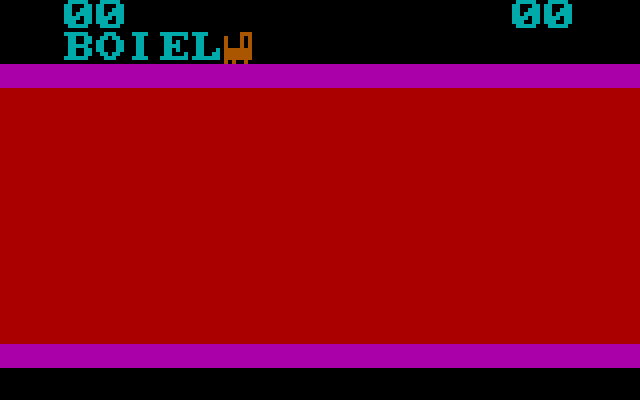
That being said, CGA could show all 16 colors with the text modes.  Each text cell has a character byte and an attribute byte.  The character byte determine the pattern to show on the screen, like an A or a &.  The attribute byte determines the foreground and background color of each character.  Each text cell can show any of the two colors available (you need to turn off the blink attribute to show 16 background colors).  The new banner for this blog demonstrates the available text colors other than black (using VGA text characters).

The CGA has a ROM chip that contains the pattern data for 256 characters, originally called IBM Extended ASCII and later known as DOS Codepage 437. (Actually, it has two sets of patterns, a thin font and the default, thick font, which can be selected via jumper.)  These are the patterns contained in ROM :


These patterns get fetched and displayed by the Motorola 6845 CRTC. The BIOS programs the CRTC to display either 40 columns by 25 lines or 80 columns by 25 lines.  Each cell is 8x8 pixels, giving effective 320x200 and 640x200 resolutions.  However,  the 6845 can be programmed to show any number of columns and rows and cell size.  Even at 80x25, with 8x8 text cells, the graphics potential is very limited.

However, if you were to reduce the cell size to 8x2 pixels, you can obtain a lot more detail.  At this point, you have a 40 or 80 column screen by 100 rows.  Fortunately the CGA card and monitors of the day can handle this without breaking.  Using the ASCII characters 221 or 222, which have a pattern that is half on, half off, you can designate each cell to have to two independent colors by use of its attribute byte.  Thus ASCII character 221 or 222:


Becomes colored :


And reduced to this :


Each cell becomes the equivalent of two pixels, and with the 40 column mode, you obtain an effective 80x100 screen resolution.  However, such a mode lacks detail, so more often the 80 column mode would be used to give an effective 160x100 resolution.

One of the advantages of these modes is the ability to use multiple graphics pages.  Each 40 column screen requires 2K of video memory and each 80 column screen requires 4K of video memory. As the CGA has 16K of video memory, 8 pages are available in 40 column mode and 4 pages are available in 80 column mode.  This can eliminate screen tearing when the screen scrolls.  Unfortunately, few games actually used a scrolling screen.

The disadvantage with the 80-column mode on a true IBM CGA card and many clones is the visibility of CGA snow.  CGA snow is the random flickering lines shown on the screen.  It happens when the CPU and the CGA try to access the video RAM at the same time.  In the 40 column and graphics modes, the CGA properly interleaves CRTC and CPU accesses, but in the 80 column mode it lacks the bandwidth to seamlessly separate the two types of accesses.  The result is the IBM CGA does not read the byte correctly and some garbage is shown.

Although it doesn't require the whole amount of RAM like a graphics mode, 80-column mode requires the most bandwidth of all the modes because it is similar to a 640x200x16 color mode.  CGA snow can be avoided by only writing to RAM during the vertical retrace period (the time where the raster beam goes from the bottom to the top of the screen), but that is painfully slow with a 4.77MHz 8088 CPU.  No other video adapter generally suffers from snow.

IBM made a vague mention of a 160x100x16 mode in its PC Technical References, but did not introduce it as a BIOS mode and did not document how to use it.

All Known Games using the 16-Color CGA RGB Graphics Modes with Screenshots

Windmill Software

Windmill Software was one of the first game developers that focused on the IBM PC platform, and while their games are clones of popular arcade games, they were always done well and pushed the CGA card to its limits.  It released three games that used the 160x100 resolution mode, The Exterminator, Moon Bugs and Styx.  The Exterminator is Centipede, Styx is Klax and Moon Bugs is Phoenix with a little Defender mixed in.  While not made by Windmill, Bricks and Round 42 evoke the same spirit.  Bricks (a.k.a. Wrecking Ball) is a Breakout clone, and Round 42 is highly reminiscent of Gorf, but it is not quite as varied.

All these games were intended to be run on an IBM PC or PC/XT running at 4.77MHz with an IBM CGA card and PC Speaker sound.  They also expect the IBM PC 83-key Keyboard.  The use of F1 to fire makes much more sense when the key is at the side of the keyboard instead of at the top.  Bricks uses Caps Lock and Ins to move the paddle, and while those keys are far apart on modern keyboards, on the 83-key PC/XT and the 84-key AT keyboards they are next to each other.  While they will run on a Tandy 1000, do not expect any of them to run on an EGA or VGA card.

Most of the title screens for these games use a standard 320x200x4 CGA graphics mode or a text mode, but the real in-game gameplay uses the 160x100x16 graphics mode.

Styx


The Exterminator


Moon Bugs


Miscellaneous Games 1

Bricks


Macrocom

Macrocom released two action-adventure games, ICON : Quest for the Ring and The Seven Spirits of RA They use a 40-column based mode, and the effective resolution is 320x200x16.  For these Legend of Zelda-like games, ASCII other than 221 was used, allowing for greater detail in the graphics.  Unfortunately, they rely on the patterns on the ROM of the IBM CGA card, clone cards often tweak the patterns slightly, and Tandys also use slightly different patterns, making the graphics look wrong when the games are played on these systems.  The games are still playable despite the errors.

The extra detail comes with a price, the programmers were limited to the top two lines of each ASCII character, and had to pick the best choice from the limited patterns available.  The Seven Spirits of RA uses the regular 320x200x4 CGA graphics mode for certain screens because it provides finer resolution.  These games should run on a PCjr., a Tandy 1000 or even with an EGA card, but will fail on a VGA card.

ICON: Quest for the Ring


The Seven Spirits of RA


Macrocom also released a demo, one of the earliest known demos for the PC, demonstrating its graphics modes.  The pictures in these modes use both the 40 and 80 column 16 color modes.  The demo is a slideshow of static pictures, and here are all the pictures.  Pictures 7-10 use the 80 column mode, and is one of the only two known programs known to use an ASCII pattern other than 221.  The other pictures use a 40-column mode with multiple ASCII character patterns.

ICON Demo


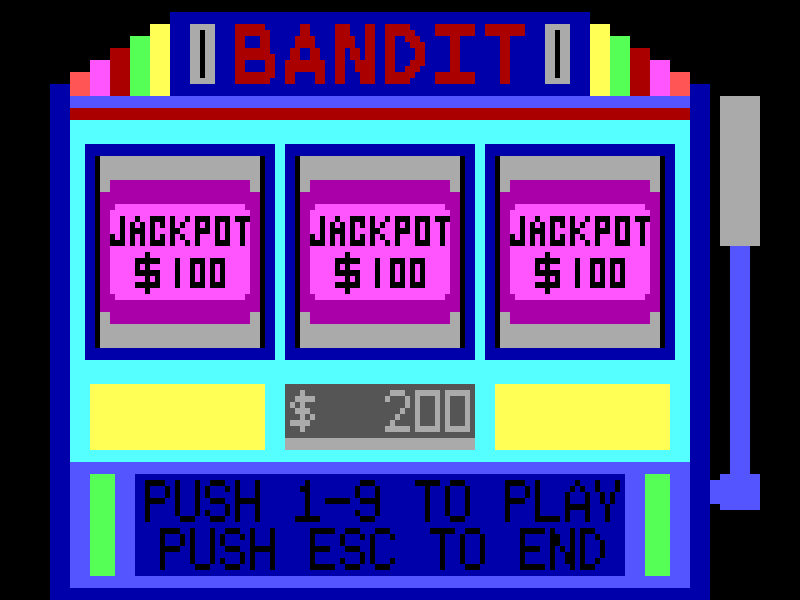
An extremely basic game called Bandit was released, and it was a slot machine game and nothing more.

Miscellaneous Games 2

Bandit


An Edutainment game called Kids on Keys was released by Spinnaker Software for several systems, and when Tandy released the Tandy 1000, it licensed the game from Spinnaker and released it for the Tandy 1000.  The games included is supposed to help children learn the keys on the keyboard.  The program also contains a feature where you can edit the graphics characters used.  Instead of using a Tandy graphics mode, it used the 160x100x16 CGA mode, most likely because Tandy also released the CGA-based Tandy 1200 computer around the same time.  However, on a Tandy 1000, the game supports 3-voice music.  On a PC, it supports PC speaker sound.  Although the graphics are very blocky, they do not use an 80x100 mode.

Kids on Keys


Level 9 Computing

Two text-based adventure games developed by Level 9 Computing, Lancelot and Scapeghost, use the 160x100 mode for graphics.  They also support other graphics adapters and show graphics in a window with the text with them, but for the 160x100x16 CGA mode, the graphics are full screen.  Essentially these games alternate between text and full color CGA graphics.  Level 9 was a U.K. company and its CGA modes were intended for the Amstrad PC-1512, a very popular PC compatible in the U.K. with a more-or-less CGA compatible video adapter.  They seem to work fine on the real CGA.

Lancelot


Scapeghost


The Final Games

The last game, from 1991, known to support 160x100x16 graphics back in the day was a shareware game called Tunneler.  In this Tank-inspired game, you had to search for your opponent with a limited view of the surrounding area.  If you look at the screenshots in detail, you will see that ASCI 176 is being used for the border around the E and S gauges.  Due to this, it is not totally a 160x100x16 game.

Tunneler


Twenty years after Tunnler, which was the last known game to use 160x100x16 CGA mode, Paladin Systems North released a Pac-Man clone for the PC called Paku Paku that uses the mode.  Originally intended as a retro computing challenge for the IBM PC, the software is free and the code is open source.  Since its release in 2011, it has gone through six revisions, adding support for the PCjr. and Tandy Graphics Adapters, EGA, MCGA and VGA.  In addition, it supports sound devices beyond the PC speaker, including PCjr/Tandy 3-voice sound, Game Blaster, Adlib and MT-32.  While it is quite a bit easier and more lenient with extra lives than the arcade original, it is still a very nice implementation that works on the IBM PC.  You can download it here : http://www.deathshadow.com/pakuPaku

Paku Paku


Programming on the early PC platform and with the CGA card is a challenging endeavor.  A promising demo has been made recently of a game called MagicDuck.  I have found the graphics to be very impressive and the gameplay to be fairly fluid, despite the limited view and early nature of the software.

Aspect Ratio

The above screenshots use a 1.6:1 aspect ratio, although the monitors that CGA was designed to use are 1.33:1.  Fortunately, the low 160x100 resolution can scale to 800x600 and maintain a 4:3 aspect ratio without introducing unsightly artifacts.  Here is an example of these graphics as a CGA monitor or TV would show them :

Click on the image to get the full resolution.

Tuesday, September 16, 2014

Tandy 1000s and Interlnk and the Laplink Cable

You may recall that I hypothesized that the Tandy 1000 parallel port was actually useful for more than just printers, http://nerdlypleasures.blogspot.com/2014/03/a-hypothesis-of-tandy-1000-parallel.html, and now I have proof that it is so.  Using the MS-DOS Interlnk program, you can use the Tandy 1000 parallel port to transfer data to and from the Tandy 1000 with a second computer.

First, let us review some of the flaws in the Tandy 1000 parallel port.  First, most of them use a card edge connector instead of the common DB-25 connector.  To use it with anything except some Tandy printers or with a Tandy cable (rare) requires making an adapter.  Second, one of the signals for the Control Port, the Select Input signal, is not present on the connector.  Third, the Select signal on the Status port must be jumpered inside the system.

In most 1000 systems, the Select signal has a 2-pin header.  In the TL/2, RL and maybe the SL/2, you will need to solder in a 2-pin a header or connect the pins through some solder.  For the TL/2, the points are marked E1 and E2, unlike the other systems, this was not generally documented.  In most systems, the jumper is usually in a fairly inaccessible place, like underneath the power supply.  You will need to jumper the Select Printer signal to use Interlnk.  If you have an RLX, RSX or TL/3, then you won't have any of these problems.

Pinouts


Signal Name IBM Printer Port DB-25 Centronics 36-pin Cable Tandy 1000 34-Pin Card Edge Motherboard/Multifunction 26-pin Header
Strobe 1 1 1 1
Data 0 2 2 3 3
Data 1 3 3 5 5
Data 2 4 4 7 7
Data 3 5 5 9 9
Data 4 6 6 11 11
Data 5 7 7 13 13
Data 6 8 8 15 15
Data 7 9 9 17 17
Acknowledge 10 10 19 19
Busy 11 11 21 21
Paper End/Out of Paper 12 12 23 23
Select Printer 13 13 25 25
Auto Linefeed 14 14 27 2
Error/Fault 15 32 28 4
Init/Reset 16 31 30 6
Select Input 17 36
8
Ground 18-25 16, 19-30, 33 2, 4, 6, 8, 10, 12, 16, 18, 20, 24 10, 12, 14, 16, 18, 20, 22, 24
Not Connected
15, 17-18, 34-35 14, 26, 34 (+5v) 26 (key)

Constructing an Adapter

In order to construct an adapter, you need three things, a 34-pin IDC Card Edge Connector, a length of 34-pin ribbon cable (less than one foot) and a DB-25 female connector.  The Card Edge connector can be harvested off floppy drive cables, but you will need to grind out the bit of plastic inside with a small knife or screwdriver because the Tandy printer card edge has no slot for the function of this plastic bit, which is intended to make sure that you don't insert the connector the wrong way.  Pin 1 of the card edge parallel port is always on the side closest to the expansion slots on the Tandy 1000s.  Align it with the red stripe of the ribbon cable.


The DB-25 connector ideally should have the same type of crimp connectors as the Card Edge connector.  With the crimp connectors, you don't have to solder.  An alternative would be a parallel port with a ribbon cable that attaches to a header on the motherboard or a multifunction card like the AST Six Pak Plus.  I have included the pinout for them above.  In fact, if you remove the BERG-style connector, you will have pre-crimped wires that correspond almost exactly to the Tandy pinout.  This is probably the best way to go about it, and you can find keyless IDC 34-pin connectors.


If you go with the crimping DB-25 connector, I would recommend connecting all the Card Edge connector pins to the ribbon cable, then attaching the appropriate wires to the DB-25, which should give you more room to work with.  You only really need to connect a few of the ground wires, but make sure they aren't being cut into by other wires.

Custom Converter Cable
If you go with the ribbon DB-25 connector, I recommend pulling all the not connected pins, 14, 26 and 34, to make your job easier.  For your first cable, you may want to go easy on yourself and only connect the ten pins needed for a Laplink cable, which are 3, 5, 7, 9, 11, 19, 21, 23, 25, 28 and the two ground pins 16 and 18 on the card edge.  I recommend pulling all the other pins in this case.

Custom Converter Cable Closeup

Laplink Cables

While you can use Interlnk with either a serial null-modem or parallel port, the parallel port transfer is much faster and your Tandy's single built-in serial port, if you have one, should be used for a mouse.  This cable is called a Laplink cable, and originally it was most useful for laptops to access larger hard drives on desktops. A proper Laplink cable only connects certain wires, and here is the pinout :

Signal Name Pin Pin Signal Name
Data 0 2 15 Error/Fault
Data 1 3 13 Select
Data 2 4 12 Paper End/Out of Paper
Data 3 5 10 Acknowledge
Data 4 6 11 Busy
Acknowledge 10 5 Data 4
Busy 11 6 Data 3
Paper End/Out of Paper 12 4 Data 2
Select 13 3 Data 1
Error/Fault 15 2 Data 0
Ground 25 25 Ground

Testing the Adapter with a Laplink Cable

A Laplink cable acts like a loopback cable in that it feeds the output of one computer into the inputs of another computer and vice versa.  The Laplink cable sends and receives five bits.  The output port of a computers first parallel port, called LPT1 in DOS, is typically located at I/O address 0x378.  This is an 8-bit port, but in the Laplink cable, only the lower five bits are used.  The input port of LPT1 is located at 0x379, but this port only uses the upper 5-bits of the port.  Thus, the input will be shifted three bits to the left compared to the output.  In addition, the high bit of the input port is inverted.  

Debug has the i and o commands that can be used to output and input bytes from I/O ports.  The output command is o 378 xx and the input command is i 379.  Try outputting a byte from one machine and then read the input from a second machine.  You should use the following commands :

Host              Client
- o 378 10     - i 379
                       00 (IBM) or 07 (Tandy) - All bits cleared to 0

- o 378 0F      - i 379
                       F8 (IBM) or FF (Tandy) - All bits set to 1

Do this in both directions.  If the value you receive on the input does not equal the results above, you have a faulty wire.  Convert the number to binary to see which bit(s) is or are not working.

Only the top five bits of the result are important for Interlnk.  The lower three bits seem to be set to 0s on IBM parallel ports and 1s on Tandy parallel ports.

The DOS Interlnk Device Driver and Program

Interlnk was first introduced in IBM PC-DOS 5.02 and can be found in MS-DOS 6.0 through 6.22.  It can also be found somewhere in a Windows 9x installation.  It consists of two components, INTERLNK.EXE and INTERSVR.EXE.  INTERLNK.EXE functions both as a device driver and external DOS command.   INTERSVR.EXE is run at the command line.

INTERLNK is a program that allows you to access drives remotely, and its really easy to use once you figure out which computer is going to the host and which will be the client.  The host computer is the one being accessed, the client is the one performing the access.  On the host PC, all you need do is run the INTERSVR.EXE program at the command prompt.  Make sure to run it first.  It usually does not need any command line arguments, but you can use the /X=A: /X=B: to exclude the floppy drives.  

On the client PC, you will need to load INTERLNK.EXE in CONFIG.SYS.   To use the parallel port, I would suggest the following line in CONFIG.SYS :
DEVICE=C:\DOS\INTERLNK.EXE /NOPRINTER /LPT1

If you are successful, INTERLNK.EXE will inform you which drives it has discovered and will allow you to access them as if they were physically attached to the client machine.  Typically this will add at least drive D: to the client machine.  

You must all the INTERSVR.EXE program to remain running on the host machine, otherwise the benefits will be lost.

You can type INTERLNK at the command line of the client computer to determine the status of the INTERLNK connection.  

All Tandy 1000s can use MS-DOS 6.22, and the INTERLNK.EXE device driver takes up a very reasonable 7K.  INTERLNK requires a fully working parallel port adapter for the Tandys.  I would suggest using drivparm=/d:1 /f:x in your CONFIG.SYS for MS-DOS to fully recognize 720KB floppy drives, replacing the x with 0, 1 or 2 depending on which drive is a 720KB drive.

With a Tandy 1000 TX, you may be able to obtain a 40KB transfer rate from and to a hard drive.  If you are reading from or writing to floppy disks, expect something in the neighborhood of 5-8K.

Early Tandy 1000s

This guide applies to the Tandy 1000 EX, HX, SX, TX, TL, TL/2, SL, SL/2, RL and RL-HD.  The Tandy 1000/A/HD has an earlier version of the card edge port that puts Autoline Feed on pin 32, which is not relevant for the Interlnk cable but may be for other parallel devices.  They may connect the Select In pin instead of the Select pin.  If that is true, then the port is useless unless you connect the pin from the Parallel Port Array chip to the card edge.  However, the Tandy Technical Information Series Notes and Jumpers indicates that the Tandy 1000A and HD have a jumper to connect the printer select to the parallel port like the later models.

Wednesday, September 10, 2014

The Mysterious Covox PC Sound Devices

Covox, Inc. had a niche throughout the 80s and early 90s for making devices that could support some type of speech with home computers.  One of its first products was called the Covox Voice Master.  There was a version for the Apple II and the Atari 8-bit computers and the Commodore 64.

Covox Speech Thing

One of Covox's original PC products was the Covox Speech Thing.  This was a parallel port dongle that functioned as a digital to analog converter.  The 8 data bits of the parallel port would pass through a resistor network and then to an audio output jack.  This device was supposedly released around 1986.  However, it was purely software driven, the CPU had to feed the DAC bytes at a certain sampling rate to allow for convincing digitized sound.  This is a direct drive DAC.  Typically 11kHz was considered the standard for comprehensible human speech, and the resulting performance impact on the IBM PCs of the day was considerably high.  The methods used to create digitized sound on the PC speaker or Tandy 3-voice chip have similar performance issues.  In fact, I do not know of any games supporting this device until 1990.

A true Covox Speech Thing came in at least the two varieties shown here :


The one with the white shell has a 3.5mm and a 2.5mm output jack, the one with a gray shell only has the 3.5mm jack and it is larger, so it is probably an older variant.

A sample of what the Speech Thing sounds like can be heard in this video : https://www.youtube.com/watch?v=spOenlrSSOE

As the Speech Thing is a parallel port device, games that support it will typically allow it to be selected at LPT1-3, depending on which device name the BIOS uses for each parallel port it detects in the system.

Speech Thing Clones

There is nothing special about the Covox Speech Thing, it should consist of purely passive components and the functionality behind the device was widely cloned.  There are schematics available online which you can use to build your own Speech Thing with only a few dollars worth of resistors and a DB-25 connector and shell.

FTL released a version of Dungeon Master with a Covox-style parallel port DAC.  It was called the FTL Sound Adapter.  Rather weirdly for a game designed for mouse input, the adapter had a DE-9 port to plug in an Atari joystick, which presumably used the input lines of the parallel port.  FTL's device could be detected by Dungeon Master, a standard Covox device cannot be detected.

Around the same time (1990), Disney Software released an inexpensive parallel port device called the Disney Sound Source.  The dongle connects to a speaker powered by a 9v battery, and device has active circuitry that is powered from the speaker.  It has several advantages over the Covox, a good low pass filter (no high pitched whines), a 16-byte FIFO that is transfered to the DAC at a fixed sample rate of 7kHz.  It can be autodetected;  The low sampling rate limits the ability of the device to play back music, but it is quite adequate for speech and sound effects.  While Disney Sound Source works with Covox devices, the latter is not true because the DSS has control commands that must be sent for the adapter to work and does not support the variable rates of a dumb device like the Speech Thing.

Covox Voice Master and Voice Master Key

There was two Covox ISA cards, I believe one was the Voice Master and the other was the less functional Voice Master Key (not to be confused with the Voice Master Key System II).  Presumably this is the circuitry of the external Voice Master box put on a sound card.  One of the great benefits of any ISA device over a parallel port device for speech synthesis is its ability to be able to use DMA access to feed its DAC directly with minimal CPU intervention.  This requires the signals on the ISA bus to access a DMA channel and an IRQ channel to tell the program that the buffer is low or empty.  Because 8-bit DMA in the PC is limited to a single 64KB segment, digitized sound typically would fit into 64KB, and if a longer sample was used, more 64KB samples would be fed into the buffer.

If this is the Voice Master card, then it would fit the necessary criteria for DMA usage:


The large chip is an 82C54, a Programmable Interval Timer which contains the counters necessary for DMA usage.  There is also a VMDMA 1.2 silkscreened on the PCB.  The card can use I/O ranges at 22x (default), 24x, 28x and 2Cx, DMA 1 (default) or 3 and IRQ 3, 4, 5, 6 or 7 (default).  Its DAC port is 22F.

This is the Voice Master Key card :

Courtesy of modelrail.otenko

This card has no counter and no DMA capability.  It uses 22F, 24F, 28F, 2CF for its DAC port, selectable via jumper.  The poster of this excellent blog article has gotten the card to work with Covox Speech Thing-supporting games by reassigning the I/O port assigned to LPT1.

Both cards have two M(icrophone) inputs, as does the Sound Master II.  According to a poster for the Sound Master II, one input supports Dynamic microphones and the other input supports line level input or Condenser microphones.  There is an Intsersil ADC to convert the audio input from the microphone from analog to digital.  All output on all these cards is mono.

A second huge benefit of the ISA bus is the ability to support analog to digital conversion.  A standard PC parallel port is not designed to function as an input device.  The standard, unidirectional port only has 5 input lines and some of them are inverted.  (An Atari CX-40 joystick has exactly five inputs, which makes the FTL adapter described above theoretically work without any active components.)  While you can read the port eight times to get the least common multiple, it is generally easier just to read the 8 data bits of the ISA bus.  The Voice Master can record voices.  For non-DMA devices, it can poll the input port at whatever rate the system can support and the available memory will allow.

Covox Sound Master

When the Adlib Music Synthesizer Card was released, the card eventually sparked a great interest in sound cards, mainly for gaming purposes.  Covox Sound Master was one such card and it became available in 1989.  The Sound Master was almost a trial run for the Sound Blaster, but it was not successful or widely adopted in games.  This card contained a Microchip AY8930 music chip that was backward compatible with the popular General Instruments AY-3-8910 3-voice PSG.  It also had a few improvements, but they were seldom used.  The AY-3-8910 and AY8930's registers could be read, unlike the TI SN76496's registers, allowing it to be used as a timer for DMA usage.  The tone registers act as a 12-bit counter and the programmer can read the values, allowing for their usage as crude timers.

The card did support direct drive and DMA fed methods for accessing the DAC.  There is a silkscreened VMDMA 1.3 on the PCB.  Finally, it had two DE-9 ports for using Atari-style joysticks.  These should only be used for true Atari CX-40 style joysticks and Sega Master System pads.  The Sound Master does not emulate a standard gameport, the bits from the joysticks are read via a pair of latches.  It was supported in only a few games, SimCity being the most prominent.

Do not use anything which requires +5v volts like Atari/Commodore Paddles or a  Sega Genesis pad, or you may blow the latch chips.  The card only has an audio output jack, so it cannot record voices.  This is the best photo I have come across of the card (with its PAL chip removed)  :


The card can use I/O ranges at 22x (default), 24x, 28x and 2Cx, DMA 1 (default) or 3 and IRQ 3 or 7 (default).  Its direct write DAC port is at 222, 242, 282 or 2C2.

The Sound Master was not a popular card, the joystick ports were not standard and the music chip was behind the times compared to the FM-synthesis based Adlib, and few companies supported it.  The Covox Sound Master is extremely rare, like the Innovation SSI-2001, only two original cards are known to exist today.

Here are a few samples of AY music from the card, all recorded by a VOGONS user named moturimi1 :


Covox Sound Master Plus and Sound Master II

Covox struck back with two new products in 1991, the budget Covox Sound Master Plus and the Covox Sound Master II.  Neither were particularly successful, and by 1993 Covox was essentially dead.  The Covox Sound Master Plus was an Adlib clone with the ability output digitized sound via direct drive methods. I believe this is a photo of the card :


The Adlib ports can be changed from the default 388-389 to 380-381 and the DAC port from 330 to 338.

The Sound Master II was closer to a Sound Blaster.  It had the OPL2 YM-3812 FM Synthesizer found on the Adlib Music Synthesizer, MIDI in and out via a DE-9 port and a dongle and direct drive and DAC fed digitized sound input and output.  Its MIDI is probably based off the MC6850 ACIA, so it would not be MPU-401 compatible.  It did not have a gameport, which must have hurt its sales.

The Sound Master II has an NEC D71054C Programmable Timer/Counter.  From what I can tell, this chip is compatible with the 82C54 chip found on the Voice Master.  Stamped on one of its chips is VMDMA 3.0.  This is what it looks like :


Like the Voice Master and Voice Master Key, the Sound Master II has a pair of input jacks, marked M1 and M2.  The card can use I/O ranges at 22x (default), 24x, 26x and 28x, DMA 1 (default) or 3 and IRQ 3, 4, 5, 6 or 7 (default).  There are selections for DMA and MIDI IRQs.  The MIDI port defaults to 330-331, but can be changed to 338-339.  The Adlib ports can be changed from the default 388-389 to 380-381.  Its direct write DAC port is at 22F, 24F, 26F or 28F.

The Sound Master, Sound Master Plus and Sound Master II had a 2-pin header on their boards that could be used to mix the input of the PC Speaker with the output from the card, similar to a Sound Blaster Pro and above.  All of Covox's boards typically had a round "Proud to say - Made in USA" sticker on them.

Feature Summary


Device Name Bus Type Music Chip DMA Gameport MIDI Voice Input PC Speaker Input
Covox Speech Thing Parallel Port None No No No No No
Covox Voice Master ISA 8-bit None Yes No No Yes x 2 Yes
Covox Voice Master Key ISA 8-bit None No No No Yes x 2 No
Covox Sound Master ISA 8-bit AY8930 Yes Non-standard No No Yes
Covox Sound Master Plus ISA 8-bit YM-3812 No No No No Yes
Covox Sound Master II ISA 8-bit YM-3812 Yes No Non-standard Yes x 2 Yes

Game Support

Game Name Covox Speech Thing Covox Voice Master Covox Sound Master Covox Sound Master Plus Covox Sound Master II
Alone in the Dark
DMA
Music, DAC? Music, DAC
BattleTech : The Crescent Hawks' Revenge

DAC
Music
Bad Blood                          
Big Business


Music
DAC


DAC
Cobra Mission


Music
Conan – The Cimmerian

Music

F-14 Tomcat

DAC
Music
Galleons of Glory: The Secret Voyage of Magellan

Music, DMA

Grandmaster Chess

DAC
Music
Joe Montana Football

DAC
Music
Lemmings (Covox Demo)


Music
MegaTraveller 1: The Zhodani Conspiracy

DAC

MegaTraveller 2: Quest for the Ancients

Music, DMA

Pinball Dreams DAC DMA

DMA
Pinball Dreams 2 DAC DMA

DMA
Pinball Fantasies DAC DMA

DMA
Prince of Persia

Music, DMA

Call of Cthulhu: Shadow of the Comet


Music, DAC
SimCity

DMA

SimEarth: The Living Planet

Music

Space 1899

DAC

Spirit of Excalibur

Music

Super Jeopardy DAC DAC DAC

The Punisher

DMA

Twilight: 2000

Music

Ultima VI : The False Prophet

Music

Vengeance of Excalibur

Music

Where in the World is Carmen Sandiego? 256-Color Version

Music, DMA
Music
Where in Time is Carmen Sandiego

Music AY8930, DMA
Music
Wizardry : Bane of the Cosmic Forge
DAC DAC
DAC
Wizardry : Crusaders of the Dark Savant
DAC? DAC?
“Music DAC”

Comments on Games

This is not meant to be a truly comprehensive list of game support.  While it has categories for both, Mobygames cannot be trusted to distinguish Sound Master supporting games from Sound Master II games.  For example, it wrongly states that Eye of the Beholder II: The Legend of Darkmoon and The Lost Files of Sherlock Holmes: The Case of the Serrated Scalpel have support for a Covox device, they do not.  Similarly, it claims that Might and Magic III: Isles of Terra has support for the Sound Master, the install program clearly states Covox SMII.  Sometimes the box cannot be trusted, as A-Train's system requirements label distinctly mentions the Sound Master, yet there is no actual software support for the card. 

Most of the information on this list came from this post : http://www.vogons.org/viewtopic.php?t=18571

If a game is listed that supports the Sound Master II for music, that really means it supports it as an Adlib card and does not take advantage of any digitized sound features of the Sound Master II.  This is true of the "Covox Lemmings" demo.  

For digitized sound, the Sound Master II and the Voice Master should be identical.  Therefore, I am quite confident to say that Super Jeopardy will work on the Sound Master II using the Voice Master setting.  Fortunately, the game works well with the Speech Thing.

Where in Time is Carmen Sandiego is the only known game to take advantage of the AY8930's enhanced features over the AY-3-8910 for music.  The AY8930 has a 16-bit frequency control for the tone channels, an 8-bit noise frequency control, individual envelope control for each of the three tone channels, 5-bit amplitude control for each channel, a duty cycle control for each channel (to turn a square wave into a rectangle wave) and two registers for noise masking.  The AY-3-8910 has a 12-bit frequency control for the tone channels, a 5-bit noise frequency control, one envelope generator for all three channels and a 4-bit amplitude control.  

For Wizardry : Crusaders of the Dark Savant, while the game has install options for the Sound Master and Voice Master, the game may not actually support either.  When sound is supposed to be played, the timer is programmed but no bytes are written to the card's I/O ranges.  The previous game supported both by direct-drive writes to their respective DAC ports.  The Sound Master II is supported because it uses the same OPL2 direct drive DAC method as the Adlib and Sound Blaster options use.  See my prior post for more details.   Similarly, Transylvania III: Vanquish the Night has install options for the Speech Thing and Sound Master and installs sound files if those options are selected, but the game does not contain code to interact with these devices.

Finally, the floppy version of Alone in the Dark has a mysterious option for the "Sound Master +"  The game only supports FM synthesis, and the options are Adlib, Sound Blaster, Sound Master II and Sound Master +.  For sound effects, it supports "Sound Blaster (DMA)", "Sound Blaster (no DMA)", Sound Master II, Internal Voice Master, the Disney Sound Source.  I assume that "Sound Blaster (no DMA)" is the option for owners of Sound Blasters with a 1.xx DSP, which did not have support for auto-init DMA.  The Sound Master + option gives I/O port selections at 22x, 24x, 28x and 2Cx.  The card described above does not quite fit.  Therefore, either that card is not the Covox Sound Master Plus, (its just the Covox Adlib clone) or Infogrames was misinformed about the card's features.  The driver, when selected, outputs direct drive data to a DAC at 22F.  The driver for the Covox Sound Master II does the same, but the game can detect the presence of a Sound Master II and Voice Master and refuses to let you select those options if it does not detect those cards.  The Alone in the Dark "Sound Master +", if it ever existed, is an Adlib with a direct drive DAC at 22F, 24F, 28F or 2CF.  

Conclusion

The most important devices discussed here are the Speech Thing, which is easy to make and the Sound Master, which is unique both for its music chip and for its music-chip driven DMA method.  Unfortunately, they were rarely used, but are valuable because it is the only representative of the widely used AY-3-8910 chip for the PC (a Deluxe version of the Bank Street Music Writer came with a Mockingboard clone, but that was the only software that used that obscure card.)  Additionally, there are games like Sim City that do not support any other sound cards for their digital sound, so for Sim City its either the Sound Master or a Tandy TL/SL.  Fortunately, like the Innovation SSI-2001 there is some interest in cloning this ultra-rare card.

The Sound Master II and Voice Master are not worth bothering over, a Sound Blaster will always be supported in games